Modernizing a Legacy Portal into a Connected, User-Focused Platform
Baytek partnered with the Federation to redesign and rebuild their member portal, transforming a critical internal system into a modern, intuitive platform built for long-term use.
Sector
Technologies
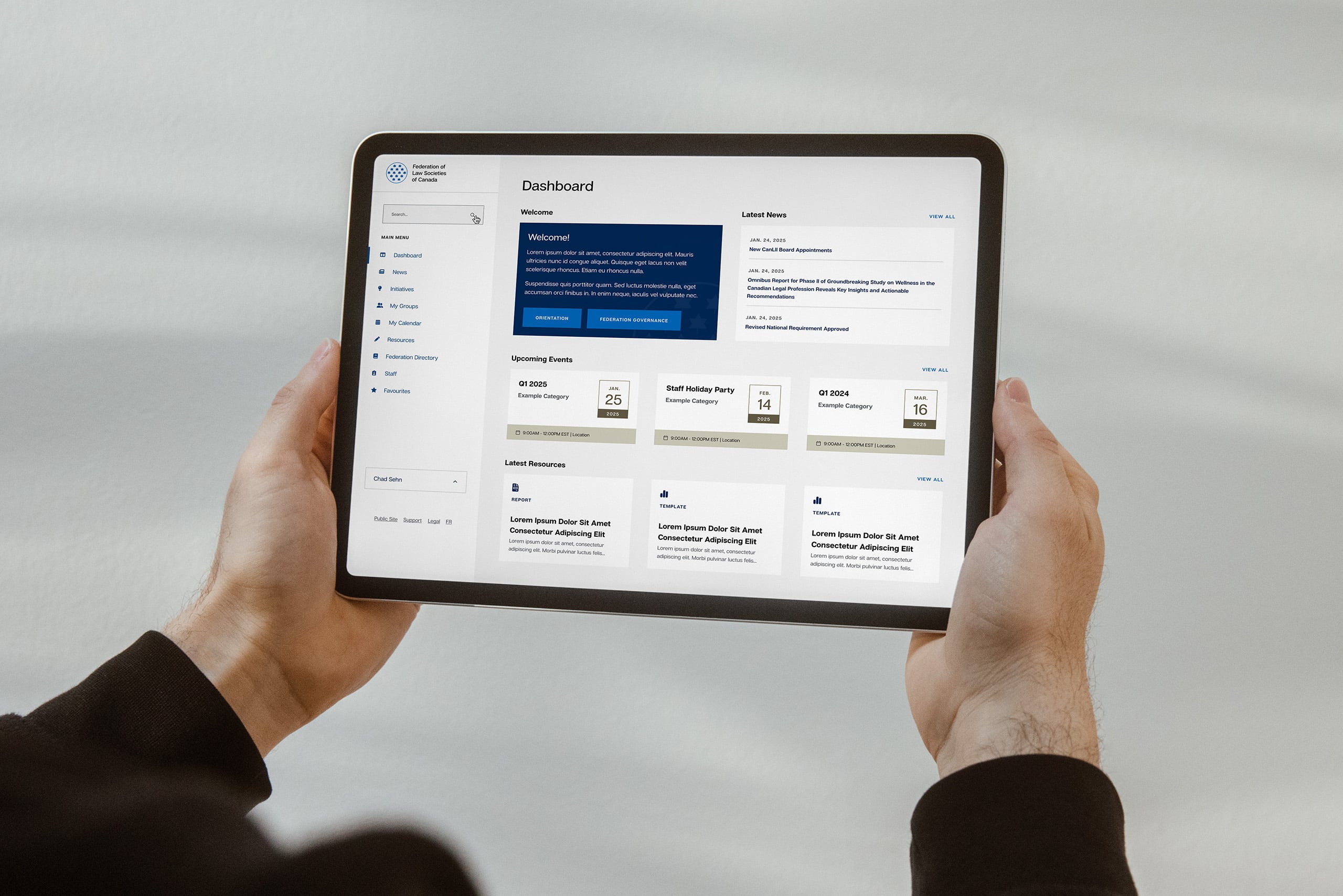
Platform Highlights
- Complete rebuild of a legacy internal portal
- Fully custom application built within WordPress
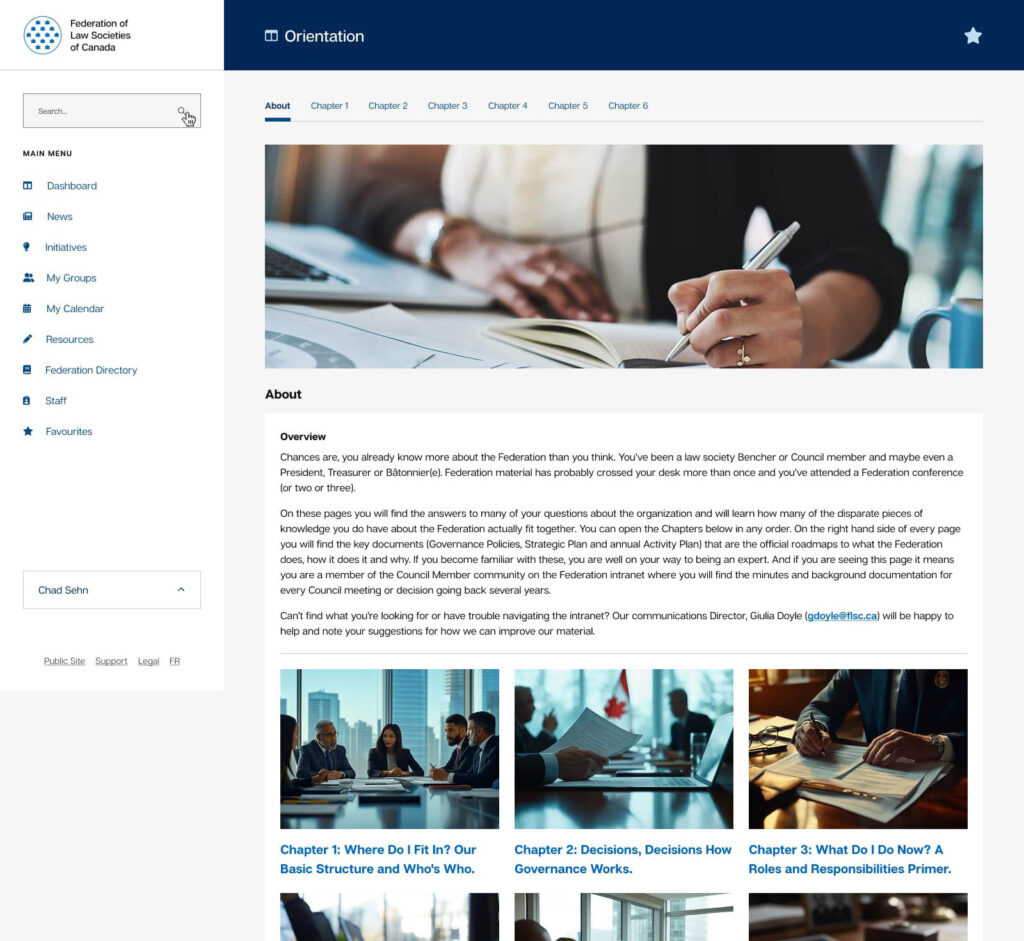
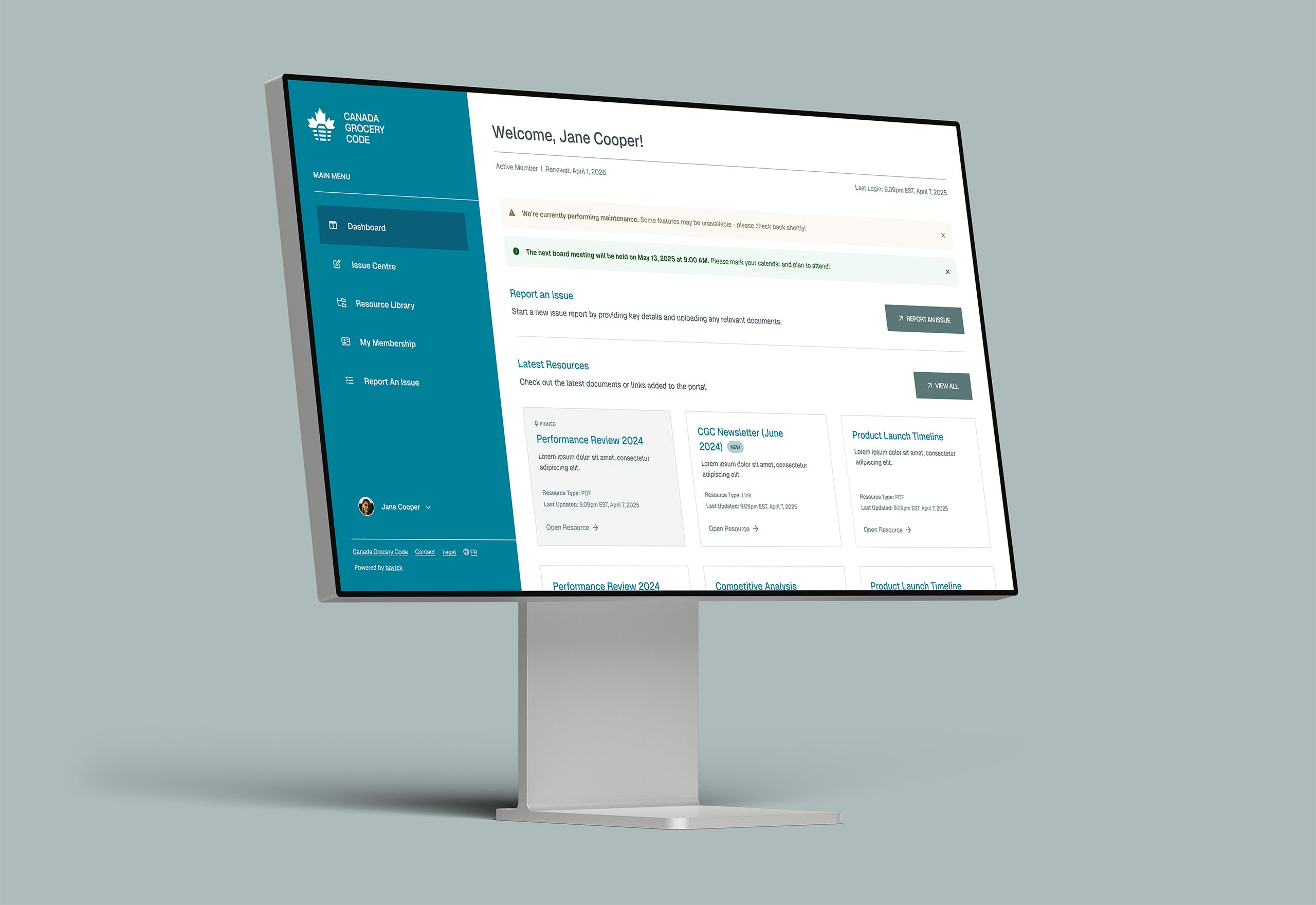
- Clear, user-focused dashboard and navigation
- Advanced search and filtering across content
- Structured templates for consistent content management
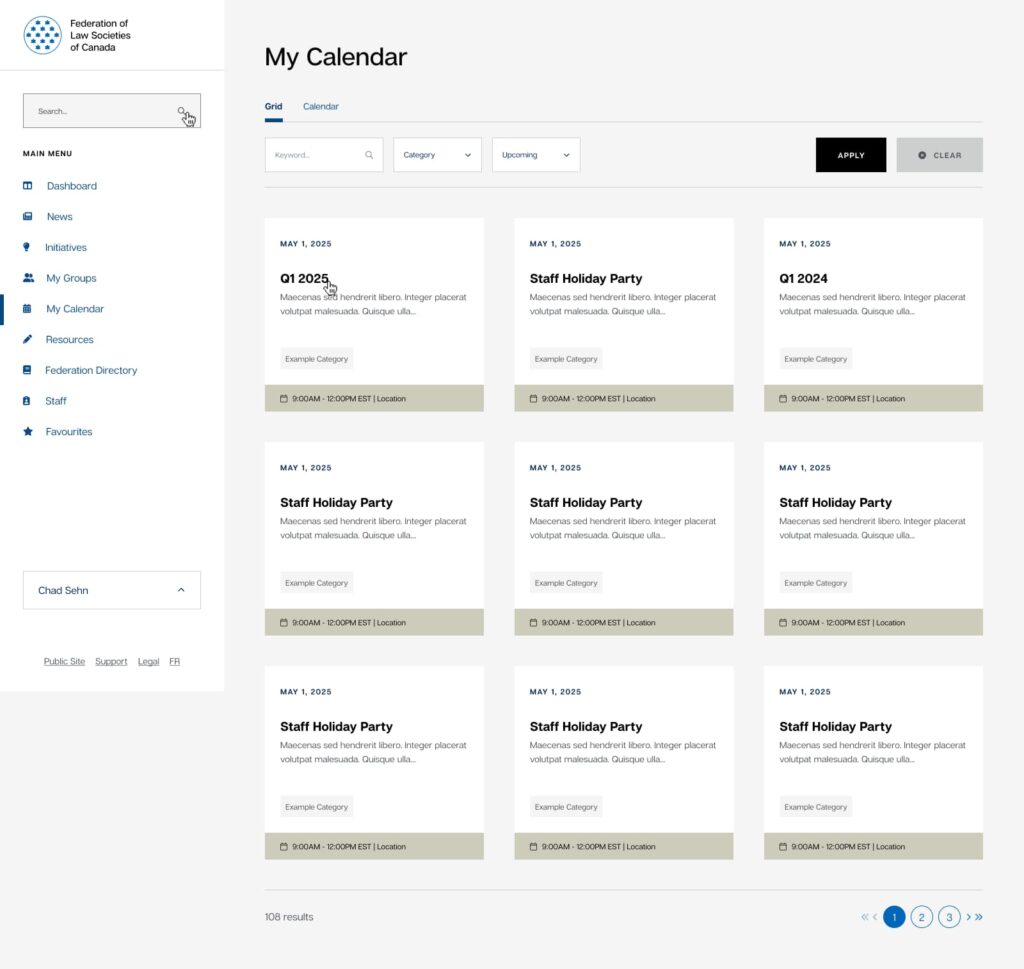
- Dynamic events system with automated organization
- User personalization through favourites and quick access
- Improved tools for staff to manage and maintain content
The Situation
For nearly a decade, the Federation’s internal portal played a central role in how staff and members accessed information, collaborated, and stayed informed.
Over time, the system grew in importance, but also in complexity.
Content became harder to find. Navigation became inconsistent. Information was duplicated or outdated. And the underlying technology made it increasingly difficult to evolve the platform.
These issues were not just technical. They affected how people worked day to day, slowing down simple tasks and creating unnecessary friction.
The portal was critical to operations, but it was no longer supporting the organization in the way it needed to.
The Goal
The goal was to rebuild the portal in a way that improved both usability and long-term sustainability.
Success meant:
- Making it easier for users to find the information they need
- Reducing duplication and improving content organization
- Providing a modern, intuitive experience across devices
- Giving staff better tools to manage and update content
- Maintaining existing functionality while improving how it works
The aim was to create a portal that feels clear, dependable, and easy to navigate, so staff and members can spend less time searching and more time getting their work done.
The Approach
Starting with how people actually use it
We began with a detailed planning phase, working closely with stakeholders to understand how the portal was being used and where it was falling short.
Through workshops and surveys, several key themes emerged:
- Navigation was overwhelming and difficult to follow
- Content was often duplicated, outdated, or hard to locate
- Users needed better tools for searching and organizing information
- Staff required more flexibility to manage content efficiently
This work grounded the project in real usage patterns and ensured we were solving the right problems.
Making the experience visible early
Before development began, we designed the full application experience using interactive prototypes.
This gave stakeholders the ability to:
- See how the system would function before it was built
- Provide meaningful feedback early in the process
- Validate structure and workflows before development
Designs were delivered in stages, starting with core screens like the dashboard and expanding across the full platform.
It created alignment early and removed uncertainty later.
Bringing structure to the content
A major part of the work was reorganizing how content was structured and accessed.
We focused on creating clarity through:
- A simplified and consistent navigation system
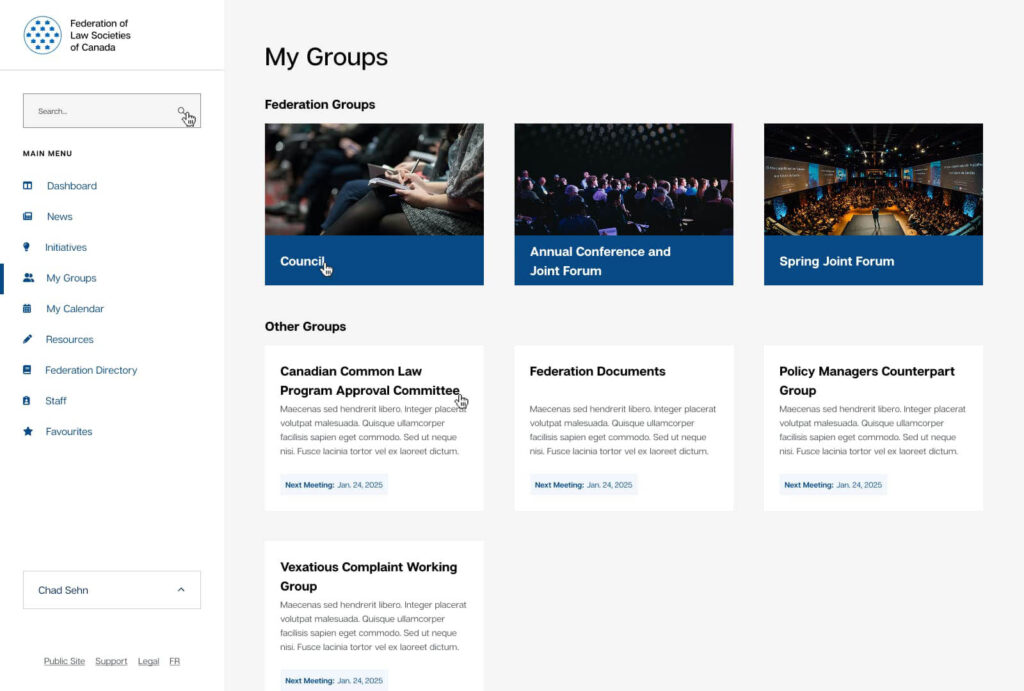
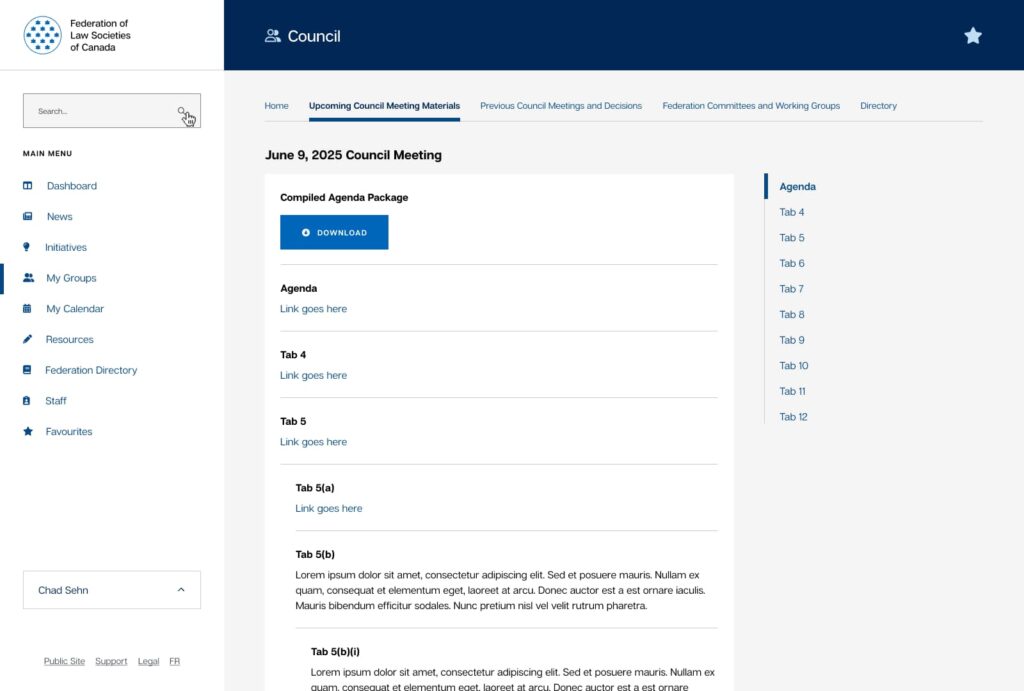
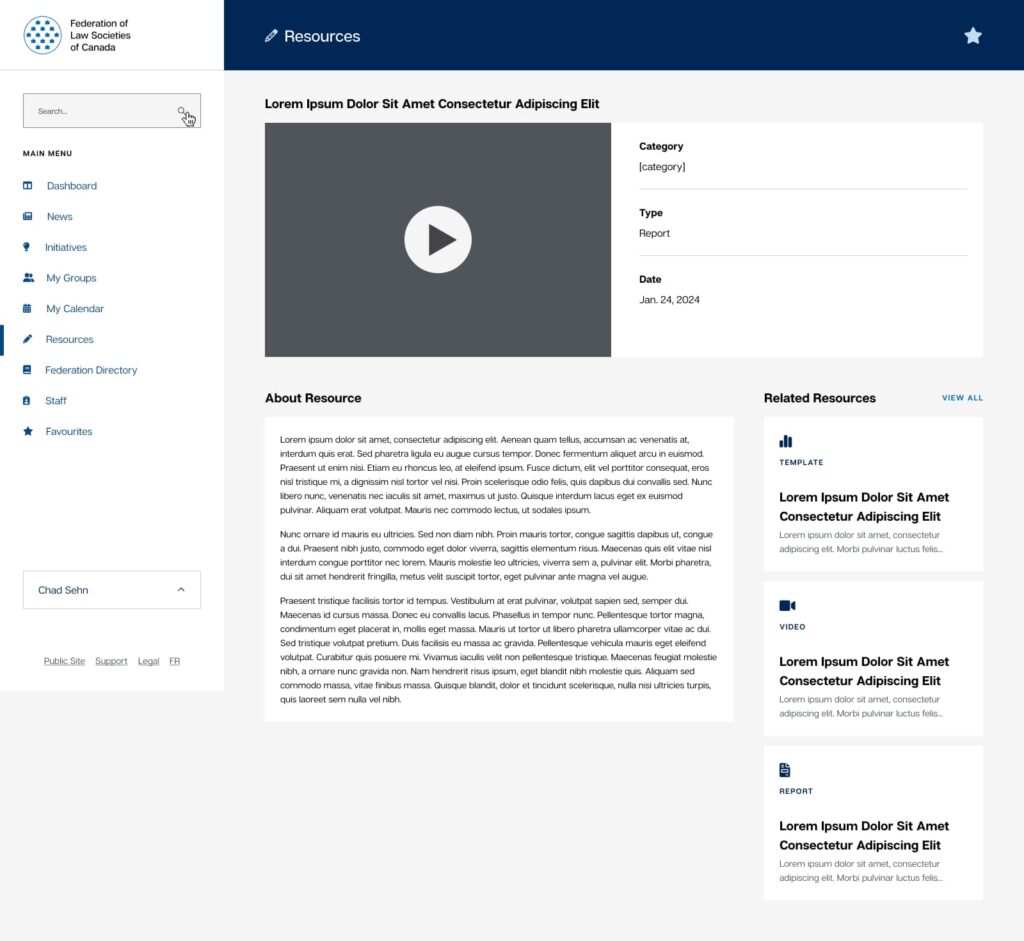
- Defined structures for committees, resources, and staff areas
- A centralized resource library with filtering and search
- A consolidated events system for better visibility
This shift reduced friction across the platform and made information easier to find and maintain.
Choosing the right foundation
The new portal was built as a fully custom application within WordPress.
This was a deliberate choice.
The Federation was already familiar with the platform through other Baytek-built websites. By building within WordPress, we provided a content management experience their team already knew, while still delivering a highly tailored solution.
It meant less time spent learning a new system, and more confidence in managing content from day one.
At the same time, the platform was engineered to handle the complexity of a large internal system.
Key capabilities include:
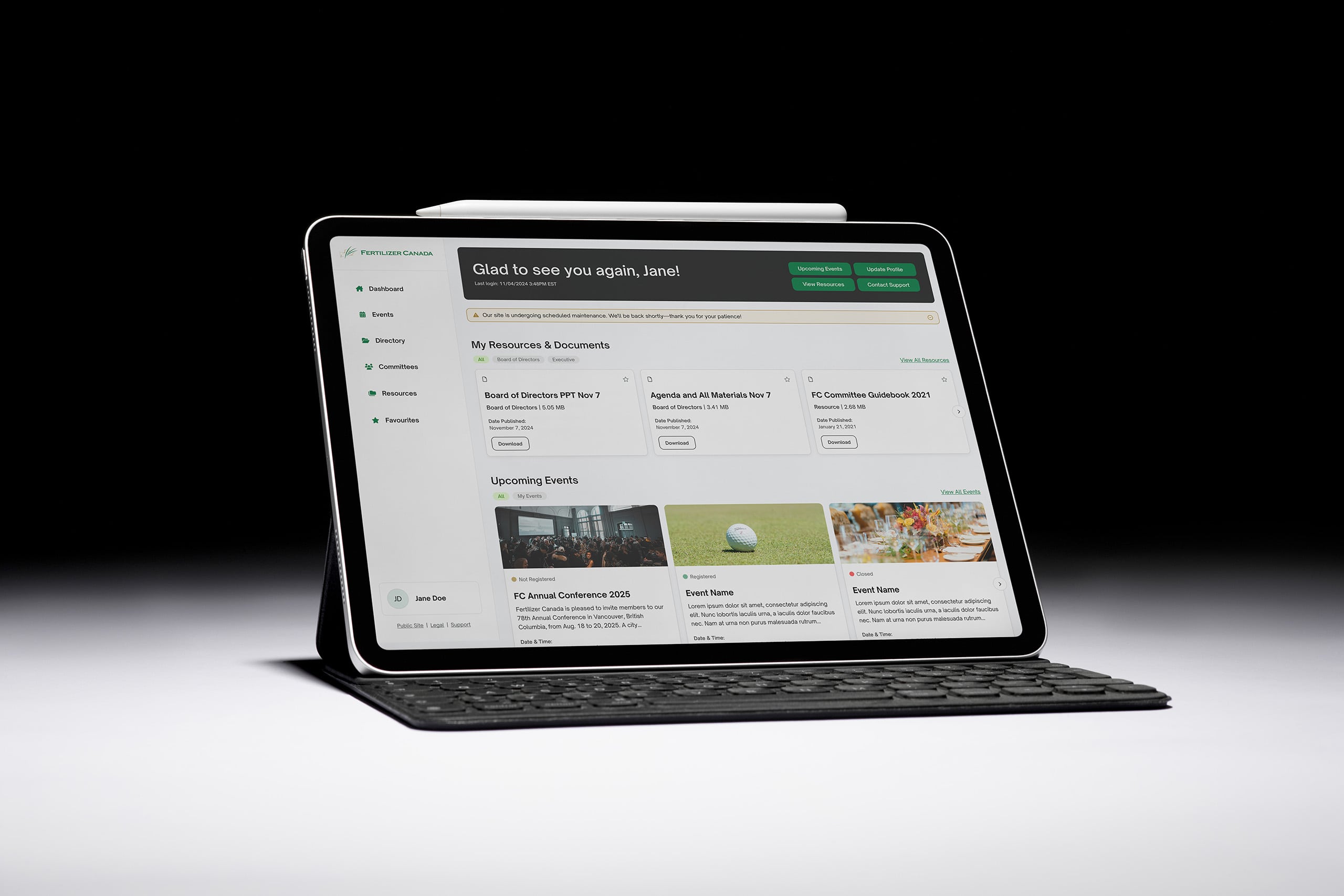
- A dynamic dashboard with announcements, events, and resources
- Robust search with improved indexing and filtering
- Structured group and committee pages for consistency
- A centralized events system with automated organization of meetings
- User personalization through favourites and quick access tools
We also enhanced the content management experience, giving staff better tools to create, update, and maintain content over time.
Built to grow with the organization
This was not a one-time rebuild.
The platform was designed to support ongoing change, whether that means restructuring content, adding new features, or integrating with other systems.
As the Federation evolves, the portal can evolve with it.
The Outcome
The new portal delivers a clearer, more structured experience that better supports the Federation’s staff and members.
The platform:
- Makes information easier to find and manage
- Reduces duplication and improves consistency
- Provides a more intuitive and accessible user experience
- Creates a strong foundation for future enhancements
Most importantly, it turns a system that had become difficult to navigate into one that supports the way people work every day.
More Build Case Studies
Connect
Ready to explore your next build project?
Every project starts the same way: with conversation. Lets take time to understand your challenges, your organization, and what success really looks like. Just honest dialogue about whether we’re the right fit.
Prefer email? hello@baytek.ca
Or call us at 613.759.4423